
Softphones are becoming more common in the modern workplace; they allow you to take calls through your laptop. This guide will show you how to caption your Softphone calls using Caption.Ed.
You will need to download our Caption.Ed App.
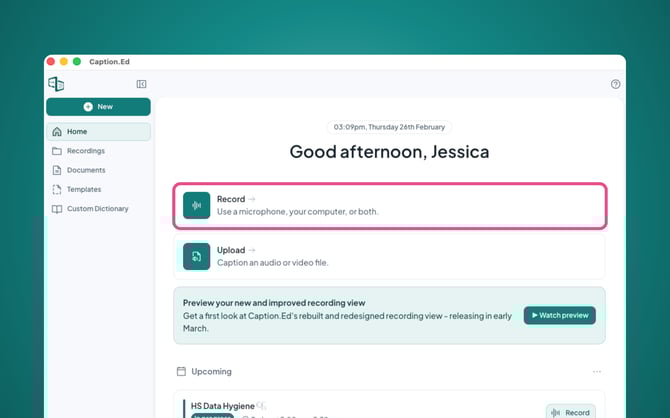
Once downloaded, open Caption.Ed, then click on the green Record button.
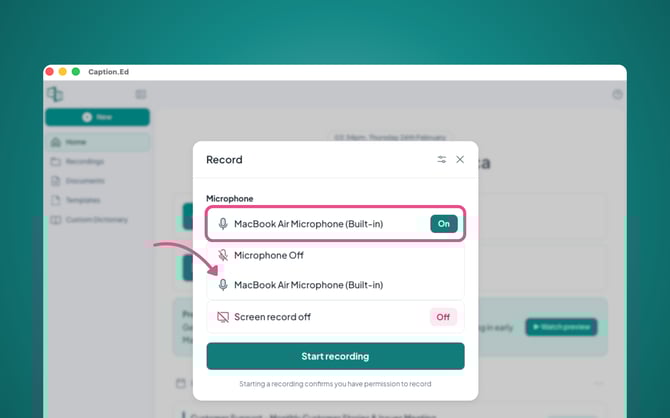
Ensure that your microphone is turned on and set to the correct headset or external microphone.
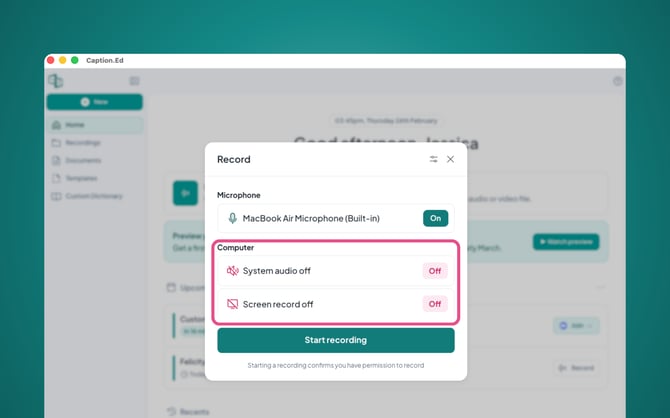
Next you’ll need to ensure that your system audio is enabled.
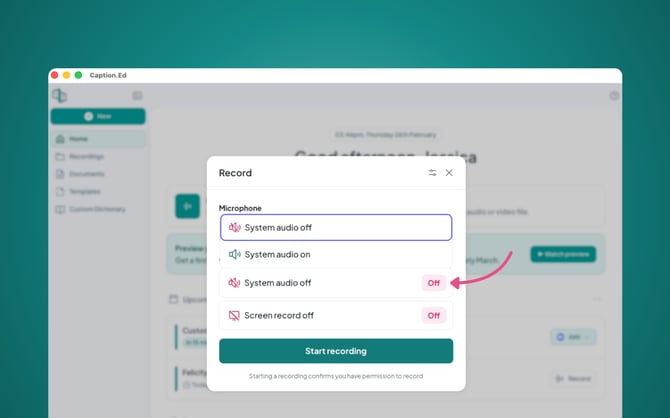
Once set up, hit the green Start Recording button.
Now you're ready to start captioning your Softphone calls!
Please Note: You will need to download the Caption.Ed desktop application to be able to transcribe both ends of your softphone calls.