
If you've been given a new license through your employer or Access to Work and would like to add it to your existing account, please follow these steps:
- Find your activation email and click the Activate button.
- You'll be taken to a page asking you to set up an account. Don't fill this in. Instead, click Log in.
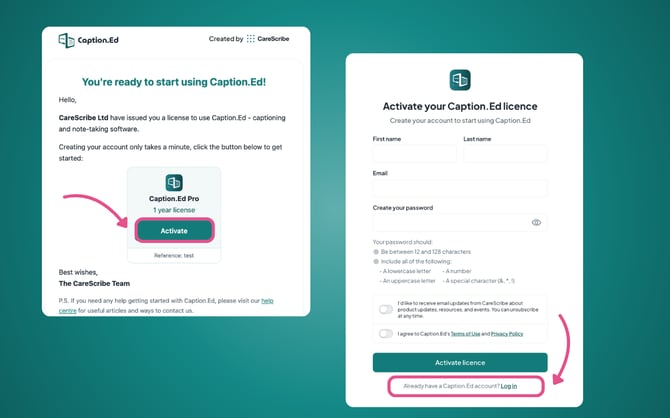
- Sign in with your existing details, and the new license will be added to your account automatically.