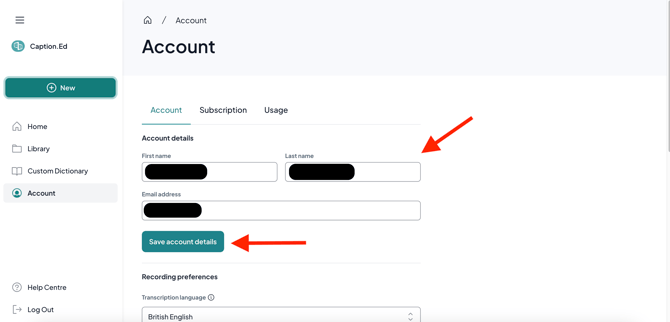
If you wish to change the name or your email address within your Caption.Ed account, you can quickly and easily do so from Caption.Ed in your browser.
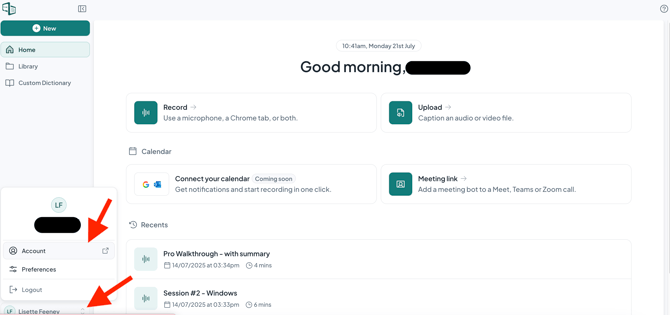
- Log into the Caption.Ed in your browser (https://app.caption-ed.com)
- Then click on your Initials in the bottom left hand corner and then click Account.
3. Under Account Details, you can then enter in the new name and email address of your choice
4. Click Save to save your changes.