
We understand that some users may feel uncomfortable disclosing that they are using Caption.Ed during online meetings. To support this, we offer several customisation options that allow your Scribe to do the talking for you.
This guide explains how to change your Scribe meeting bot’s display name and how to set up Caption.Ed Scribe to introduce itself in the meeting chat.
Changing your Scribe meeting bot’s name
You can change your Scribe bot’s name by choosing from one of the following four options:
- <Your Name>'s Caption.Ed Scribe - Note-taking and captioning
- <Your Name>'s Caption.Ed Scribe
- Caption.Ed Scribe - Note-taking and captioning
- Caption.Ed Scribe
To make changes to your Scribe bot’s name, follow the steps below:
Log into your Caption.Ed account
Click on your name in the bottom left-hand corner and go to your “Account” settings.
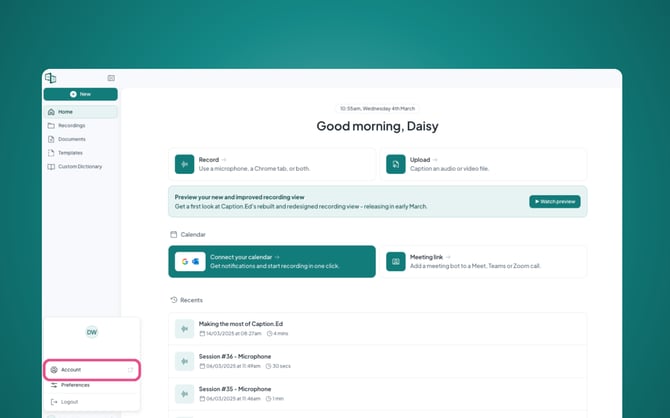
Scroll down to your recording preferences and click on the drop down under “Scribe meeting bot display name”, here you’ll be able to select your preferred display name.
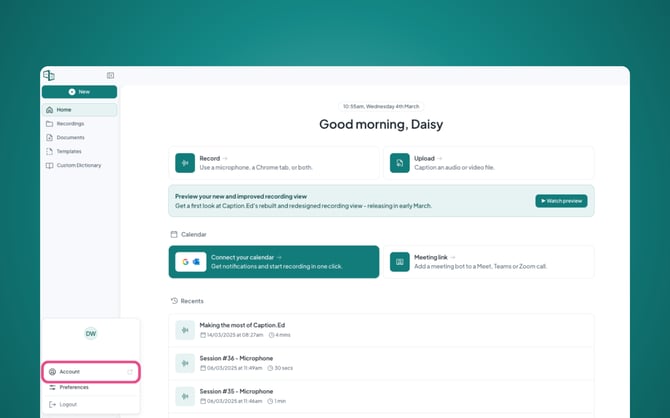
Remember to save your recording preferences once you have selected your Scribe bot’s name.
Send a chat message with your Scribe meeting bot
To discreetly provide more context about Caption.Ed and the role of your Scribe bot, you can set your Scribe to introduce itself in your online meeting’s chat. The message will read as follows:
"Hi there! 👋 A quick heads-up - I'm recording this meeting to provide live captions and a transcript for <Your Name>. For more info, check out: https://caption-ed.com/. Thanks!"
Follow the steps below to set up your Scribe to send out this message upon joining online meetings:
Log into your Caption.Ed account
Click on your name in the bottom left-hand corner and go to your “Account” settings.
Scroll down to your recording preferences and here you will find a tick box which says “Send chat message with Scribe meeting bot”, you will need to tick this to enable this option.
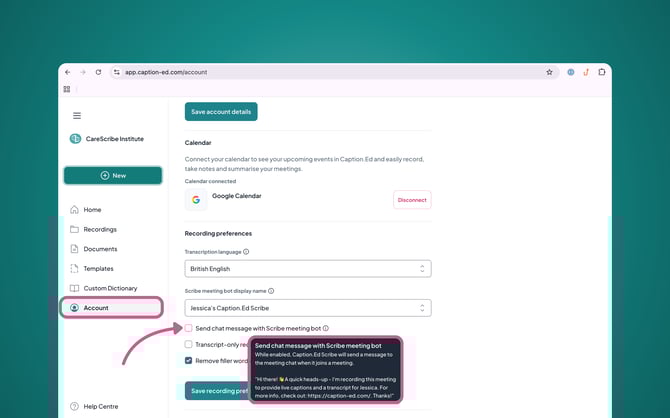
Please remember to save your recording preferences once making any changes.