
If you're looking to polish up your transcriptions and remove those "umms" and "eerrs", here's how you can!
Open Caption.Ed in either the browser or the app.
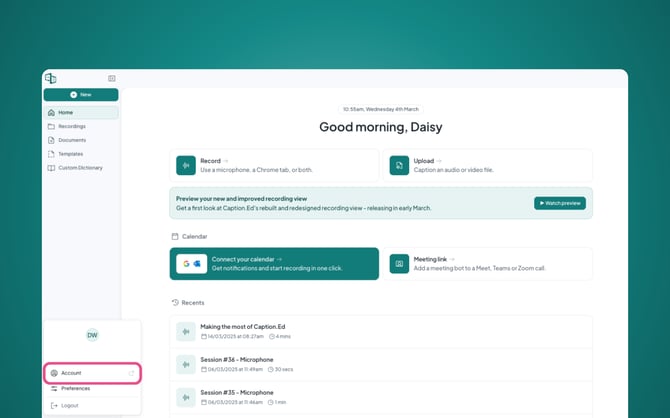
Once in the main menu, click on your name in the bottom left-hand corner.
This will take you into your default web browser, opening up your account settings.
You will then need to scroll down until you get to your "Recording Preferences".
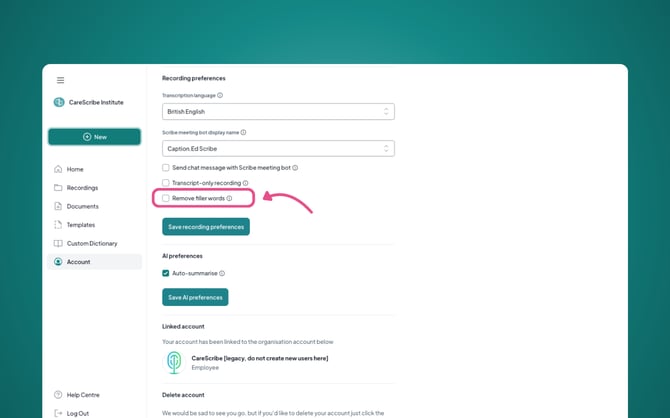
Under Recording Preferences, you'll be able to find "Remove filler words", tick this box, and then click the green "Save Recording Preferences" button.
Now you've eliminated filler words and polished up your transcriptions!