
Caption.Ed
If you would like to cancel your Caption.Ed subscription, you will need to do this via the links found in emails from us regarding your license, these will have the subjects:
"Welcome to Caption.Ed!""Your Caption.Ed trial ends in 3 days"
"Your Caption.Ed trial has ended"
"Your Caption.Ed subscription is active"
"Your Caption.Ed renewal is coming up"
You can search for these email subjects in your inbox.
Alternatively, you can contact our Customer Support team to assist you with cancelling your subscription or free trial.
TalkType
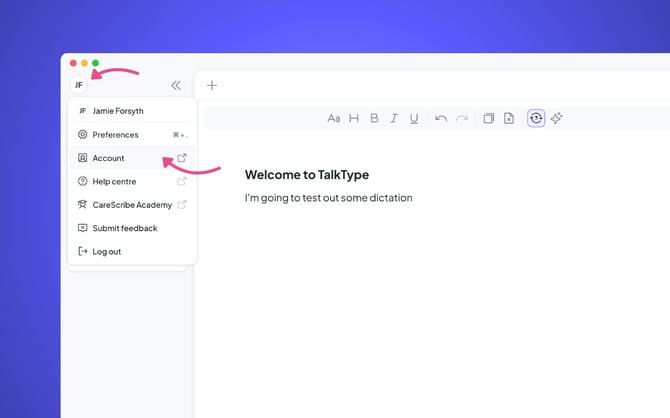
To update your subscription payment details for your TalkType license, log into TalkType, and then click on your initials in the top left-hand corner. This will open a drop-down; you will need to click “Account”
This will take you into your TalkType dashboard, here click on “Manage subscription”