
To customise your theme, transcript font and size, you will need to go to your Caption.Ed preferences. You will find this by going to the bottom left-hand side and clicking on the preferences button.
.png?width=670&height=419&name=Caption.Ed%20template%20(8).png)
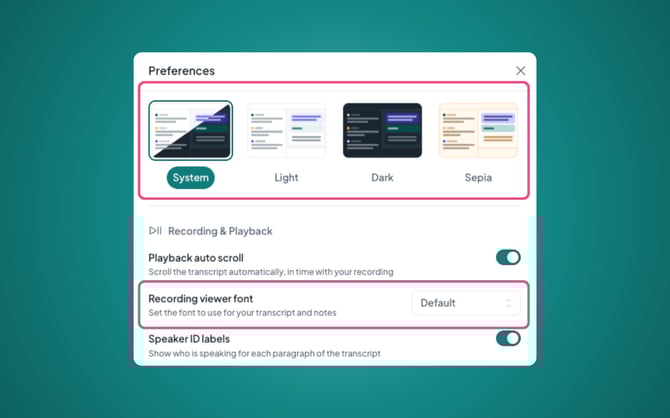
This will open a pop-up where you can select your preferred theme, we have four options: System, Light, Dark and Sepia.
Scrolling down you’ll find the setting “Recording viewer font”, where you’ll find a drop-down of our available fonts, you can go ahead and select your preferred option.
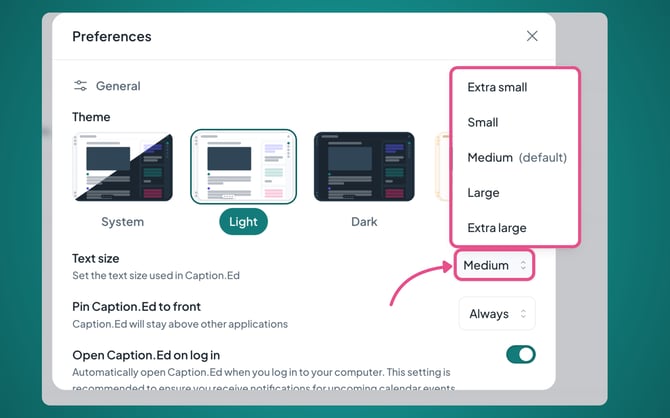
You can also change the font size, all you need to do is click on Medium, which is the default size, and change it to a size that suits you!
Now your Caption.Ed is personalised to you! These settings will be saved automatically.