
You can now create transcript-only recordings! When your recording ends, the video and audio are instantly deleted, leaving you with a clean, text-only transcript.
This is a great feature to have enabled for your more confidential meetings, or if any other meeting participants may be uncomfortable being recorded.
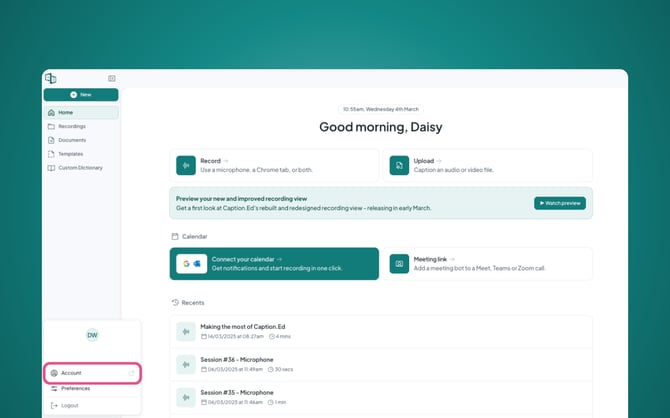
To get started, simply log in to Caption.Ed. In the bottom-left corner, you’ll see your initials. Click on them and then select "Account".
Once you’re in your account settings, you will need to scroll down until you see your recording preferences.
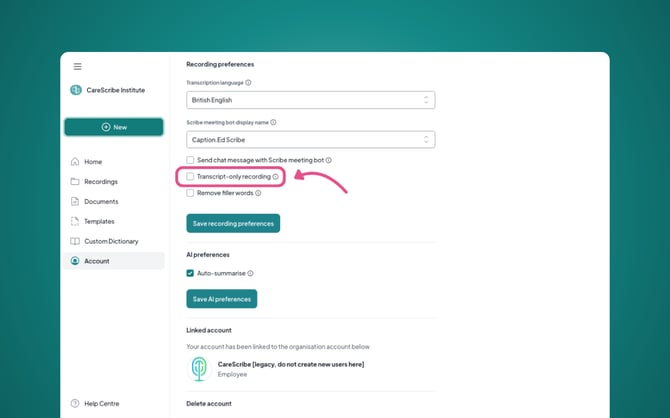
Tick the Transcript-only recording box and then click on the "Save recording preferences" button.
Now your Caption.Ed is ready to record transcript-only recordings!