
What are Custom words
TalkType has a varied and wide ranging library of words that stretch across different specialties such as Law and Medicine.
However, there might be certain words you use often which are particular to you and your work, or are especially unique. This is where TalkType’s custom words feature comes in!
The custom words feature enables you to add a bespoke word or phrase that isn't included within the existing library.
You can add up to 1,000 custom words in TalkType, each with a character limit of 100 characters.
Adding Custom Words
- Open up the TalkType app.
- Click on the "book" icon in the upper right-hand corner.
- Click "Add new custom word", type in your word, and then click the purple button that says "Add word"
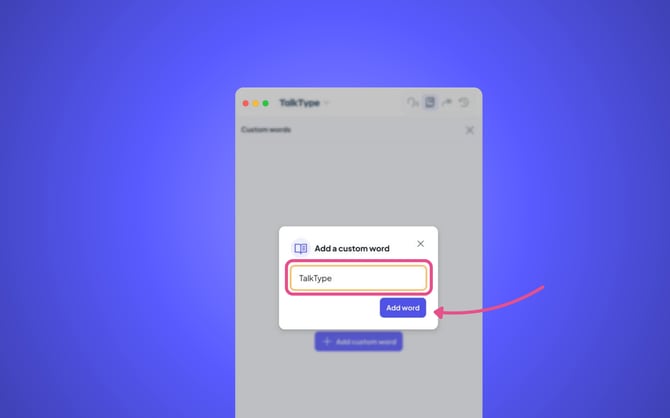
- You are all set, you can add up to 1,000 Custom Words!