
You can choose to automatically format dates or numbers when dictating within TalkType.
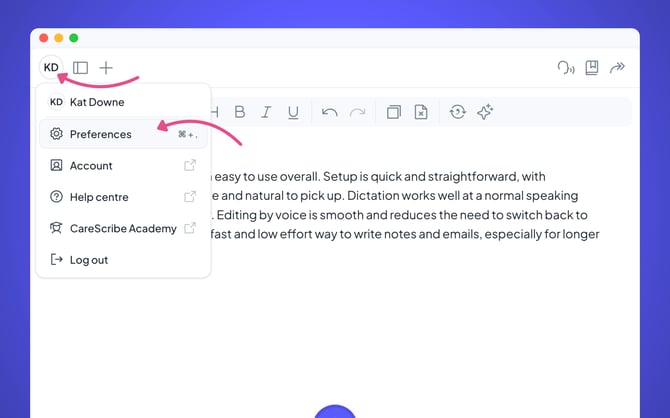
First, open TalkType (either in the browser or the desktop application). In the top left-hand corner, you will see your initials. Click on this, and then choose Preferences.
Scroll down the page. You will see the option to automatically format dates and numbers.
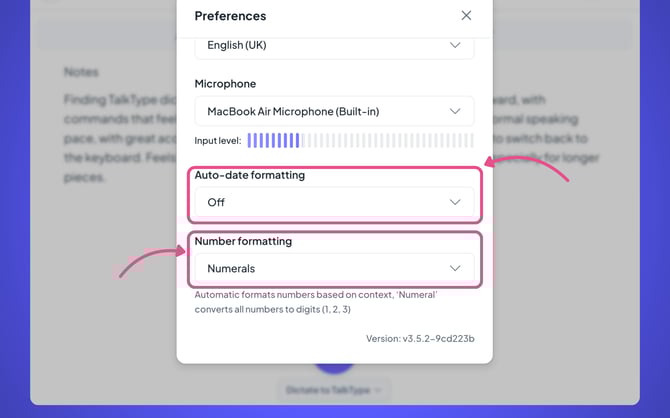
Once you have configured this, you can press the X close button at the top right-hand corner of the preferences screen to save your changes.