
Within the CareScribe Admin dashboard you will find three dots at the end of each user, here you can:
- Edit user
- Assign seats
- Resend invite
- Delete user
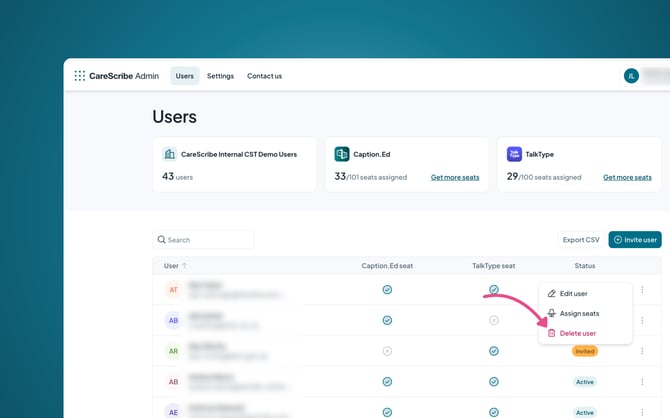
If you wish to delete a user, you can action this here.
Within the CareScribe Admin dashboard you will find three dots at the end of each user, here you can:
If you wish to delete a user, you can action this here.