Mac:
To find your log files on a Mac device, you’ll be able to locate them at the following two locations:
~/Library/Logs/MedincleChooser.log
and
~/Library/Logs/MedincleInstaller.log
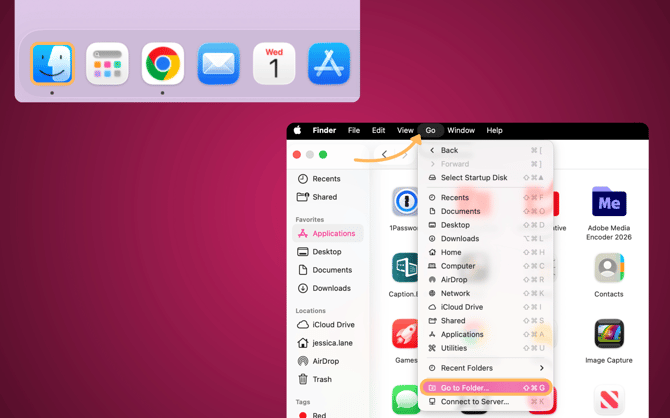
To navigate there, please go to the Finder application, then click Go in the top menu bar, then Go to Folder
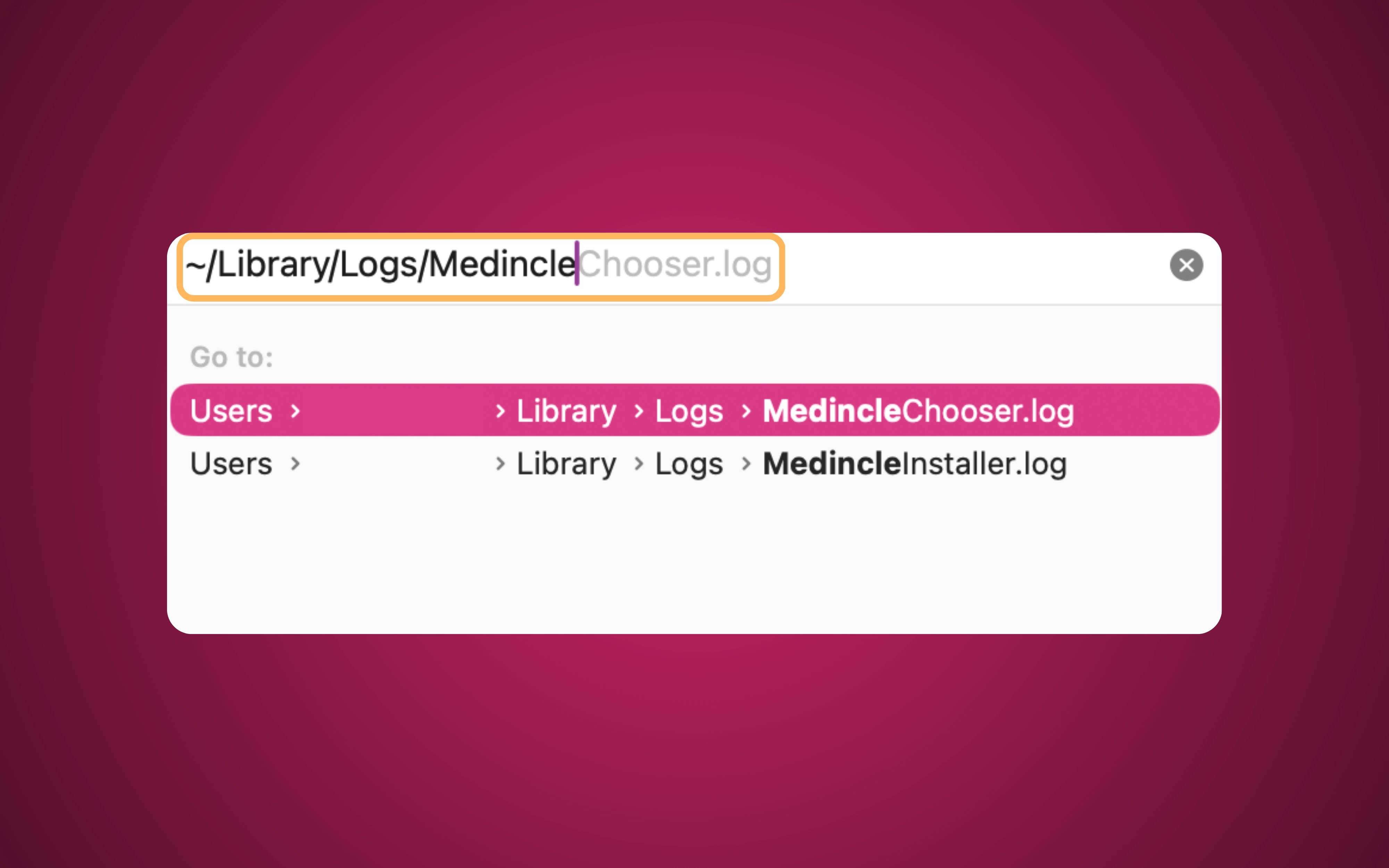
Then simply enter ~/Library/Logs/Medincle
Note it's important to include the "~" character in the above. You should see the MedincleChooser.log and MedincleInstaller.log files there.
Windows:
To find your log files on a Windows device, please follow the instructions below:
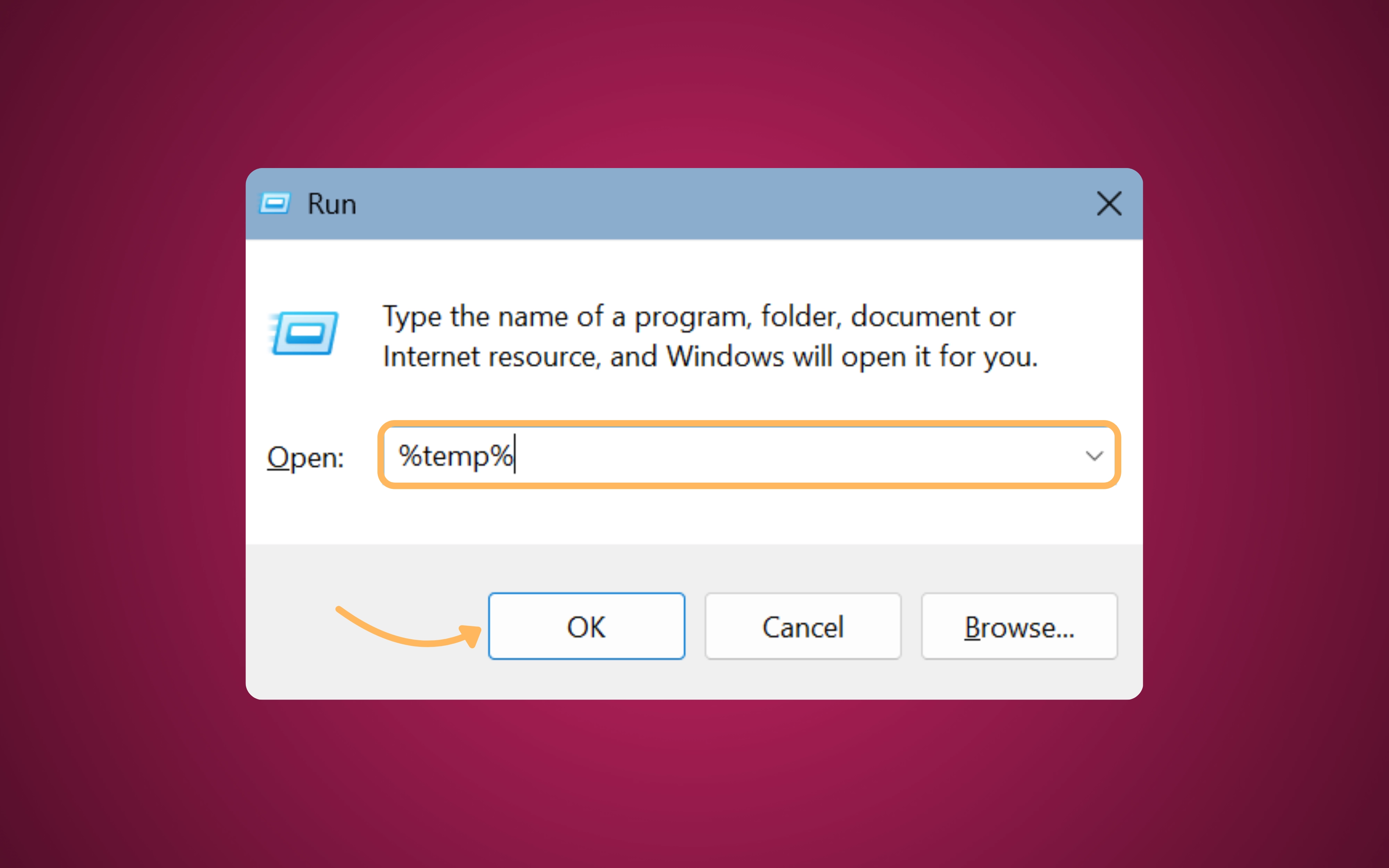
- Press the Windows Key + R on your keyboard to open the "Run" dialog box.
- Type or paste the following exactly, including the percentage symbols: %temp%
- Press Enter (or click OK).
In the folder that appears, you should then see a log file with a unique name based on the date when you performed the installation: Setup Log YYYY-MM-DD #NNN.txt.
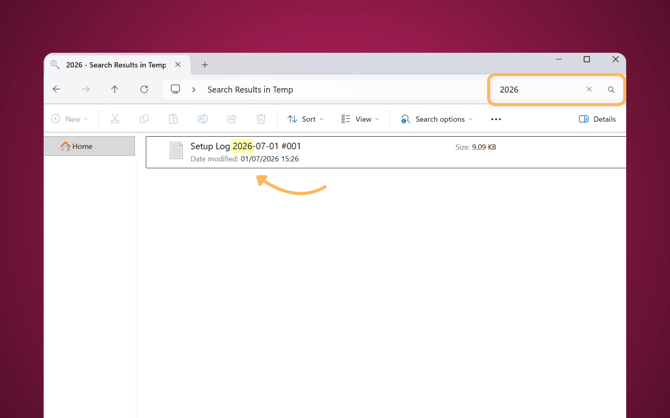
If you’re unable to find the file, you can use the search bar in the top right-hand corner to search for the date of installation in the format: YYYY-MM-DD