
AI summaries, highlights and actions
- Log into Caption.Ed.
- Click on Recordings on the left-hand side.
- Find the session you want to generate AI Summaries and Actions, then click on the session.
- You’ll find a sidebar on the right-hand side of your recording view. Here, you’ll want to go to the Recap section.
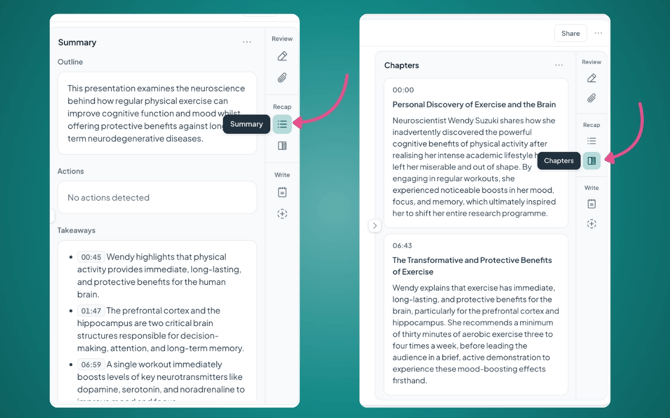
- Here you can click between your Summary and Chapters.
Summaries provide a brief overview of the meeting's highlights, along with any actions.
Chapters break your meeting down chapter by chapter, making it easier to navigate the contents of your recordings.
Please remember to check your AI summaries as they can make mistakes.
Copying, deleting, and regenerating
Click the three dots in the top right-hand corner of the AI summaries and Chapters to:
- Copy it, so you can paste the content anywhere outside Caption.Ed
- Regenerate it
Templates are available on every Caption.Ed plan except for Caption.Ed Lite. If you are looking to upgrade your account, please get in touch with sales@carescribe.io