
First, what you will need to do is go to the CareScribe Admin Dashboard
Then, you will need to find the person you want to resend the invitation to and click on the three dots on the right-hand side. Once you click on this, a drop-down menu will appear; you need to click on the "Resend invite" button.
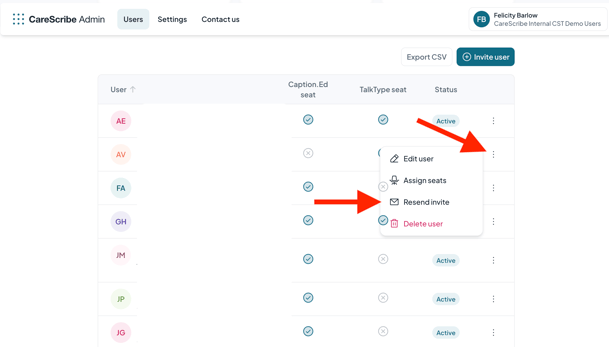
Then, a pop-up will appear, asking you to confirm resending the invite. All you need to do is click the "Resend Invite" button.

That is it. They should now have received their email invitation.