
Caption.Ed offers a few simple ways to set up meetings, helping you get the most out of live transcription and note-taking. Below, we’ll show you how to capture a microphone session for impromptu in-person meetings with ease.
First, you need to either download the Caption.Ed desktop app, you can do this here, or open Caption.Ed in your browser
Once you have opened Caption.Ed, you then need to log into your account.
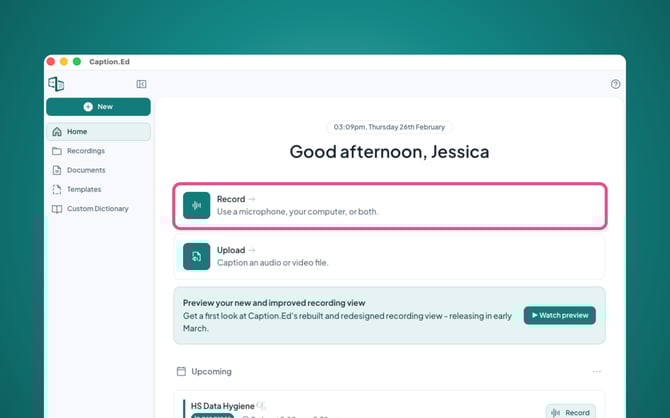
Then, you need to click on the "Record" button in the middle left corner of your home page.
Next you will need to ensure that your microphone is enabled, you can click on your microphone to access alternative microphones for Caption.Ed to use.
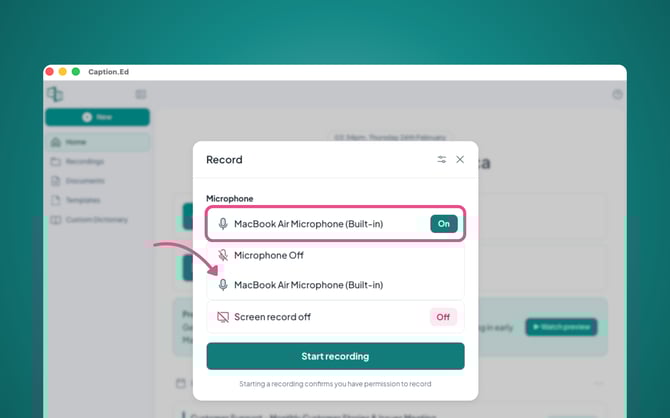
Now you’ll be set to record an in-person microphone session!