
Setting up your Zoom Account
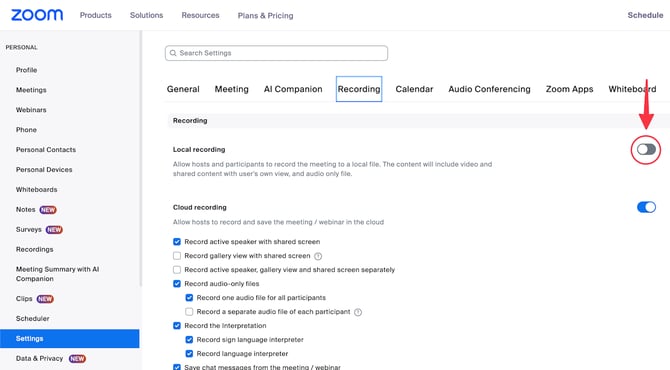
In your Zoom account, you want to ensure you have enabled local recording as a host; otherwise, Caption.Ed Scribe won't be able to record your meetings.
You can do this by logging into your online Zoom account, clicking on "Settings", "Recording", and then enabling "Local Recording".
Note
If you are not the meeting's host, please ensure the host has enabled local recording so Caption.Ed Scribe can work.