
Creating Spaces
To create a Space within Caption.Ed, you will first need to log in to the CareScribe Admin Hub
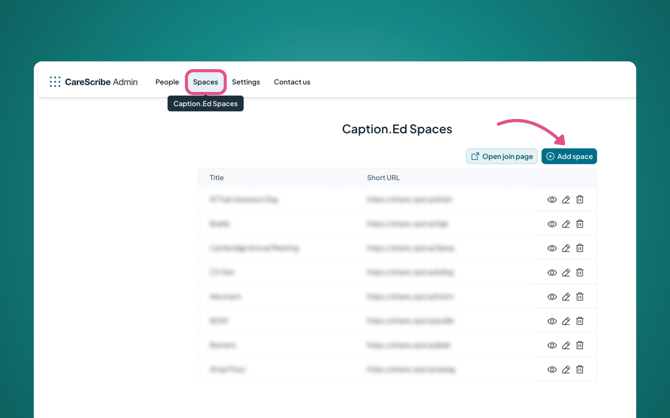
Here, click the “Spaces” tab. This is where you can: create, view, edit and delete your Spaces.
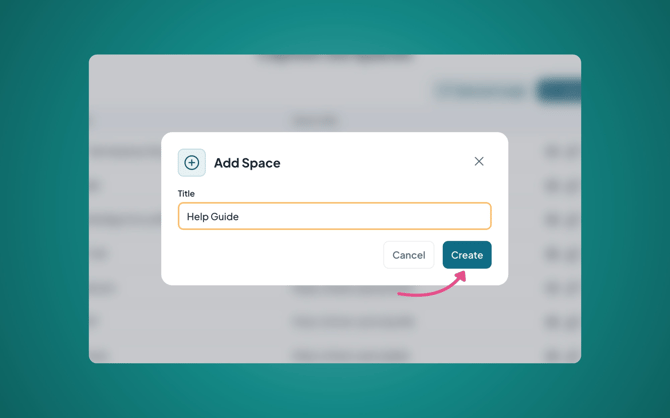
To create a new Space, click on the green “Add space” button. A pop-up will appear where you can assign a title to your Space.
This will create the Space, generating a unique short URL and QR code.
To see how to share these, please see our guide: How to start and share a broadcast
Deleting a Space
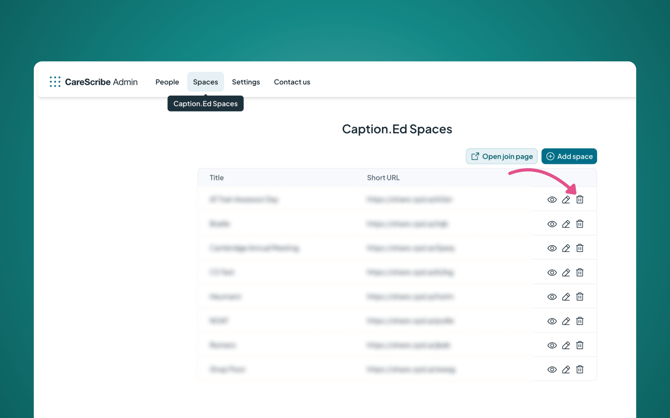
To delete a Space, head to the Spaces tab within your CareScribe Admin Hub. Here, you will see your list of available Spaces.
To delete a Space, click on the bin icon, this will bring up a pop-up. If you are sure you would like to delete the Space, you can go ahead and click “delete”.
The Space is now deleted!